Termux combines powerful terminal emulation with an extensive Linux package collection.
• Enjoy the bash and zsh shells.
• Manage files with nnn and edit them with nano, vim or emacs.
• Access servers over ssh.
• Develop in C with clang, make and gdb.
• Use the python console as a pocket calculator.
• Check out projects with git.
• Run text-based games with frotz.
At
first start a small base system is downloaded - desired packages can
then be installed using the apt package manager. Access the built-in
help by long-pressing anywhere on the terminal and selecting the Help
menu option to learn more.
Showing posts with label terminal. Show all posts
Wednesday, November 4, 2020
Monday, January 18, 2016
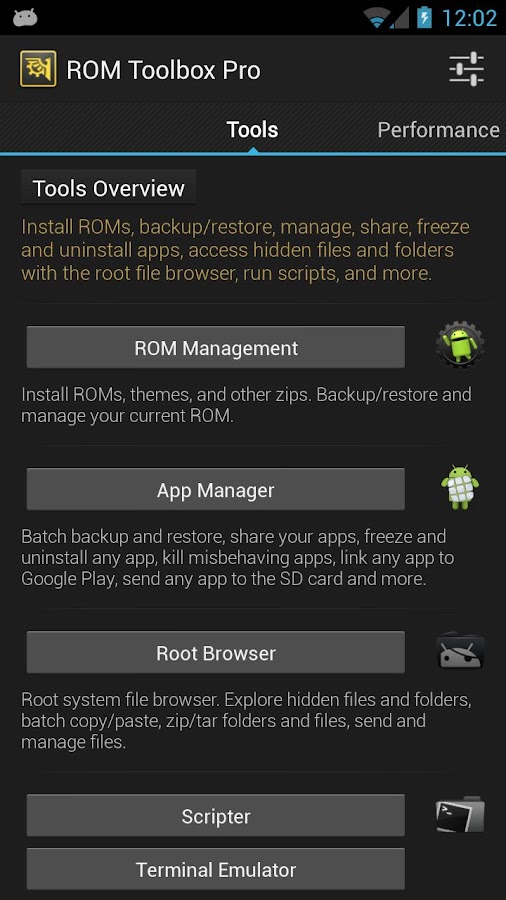
ROM Toolbox Lite
ROM Toolbox is THE MUST HAVE APP for every root user.
ROM Toolbox combines all the great root apps into one monster app with a beautiful and easy to use interface. ROM Toolbox has every tool you need to make your Android device fast and customized to your liking.
*** ROM Toolbox Pro to unlock all the features!
Friday, August 28, 2015
Terminal Emulator for Android
Access your Android's built-in Linux command line shell. Unleash your inner geek!
This is a new version of the popular "Android Terminal Emulator" application. Same great program, just with a new name.
Top Features
+ Full Linux terminal emulation.
+ Multiple windows.
+ Launcher short cuts.
+ UTF-8 text. (Arabic, Chinese, Greek, Hebrew, Japanese,etc.)
+ Completely free. No ads, no in-app-purchases, no nag screens, nothing.
Thursday, August 20, 2015
Terminal IDE
** CURRENTLY INCOMPATIBLE WITH ANDROID 5.0 LOLLIPOP **
Terminal IDE is
an expandable terminal application, with a full Java / C / C++ / HTML /
Android development kit, that runs on your Android device.
It uses the command line, with many powerful and robust open-source
applications, plus a custom ASCII on-screen 'soft' keyboard that works
well (You must ENABLE it in your device's main Keyboard Settings).. and
also has an extensive generic external 'hard' keyboard key mapper. This
way CTRL / ALT / ESC etc.. should all be accessible.
GCC 4.4.0,
make 3.82, ctags, javac, java, dx, proguard, aapt, apkbuilder, signer,
ssh, sshd, telnetd, bash 4.2, busybox 1.19.2, vim 7.3, nano 2.2.6,
midnight commander 4.8, htop 1.0, TMUX 1.5, links 2.7, rsync 3.0.8, git
1.7.8, BitchX 1.1 and a nice terminal emulator are all available.
The
vim editor has been setup with c / java / HTML development in mind and
is extremely powerful. Also vim has been setup by default in a humane
way (arrow keys work, backspace..), so that starting on this long and
glorious journey won't begin with a punch in the face.
With the
addition of all the other apps provided, Terminal IDE becomes much MUCH
more than an extremely powerful IDE. One could call it a complete
'Command Line OS'.
Best of all you can log in via telnet / ssh and use your home keyboard/screen combo!
AND the whole app runs WITHOUT needing ROOT permissions.
Subscribe to:
Posts (Atom)